Running a small business in the UK sounds exciting… until you’re staring at a spreadsheet at 11:47pm trying to figure out why your “profit” doesn’t match your bank balance. You might have invoices in one folder, receipts in your phone gallery, and a bank account that looks like it’s been hit by random transactions from another universe. If that sounds familiar, you’re not alone.
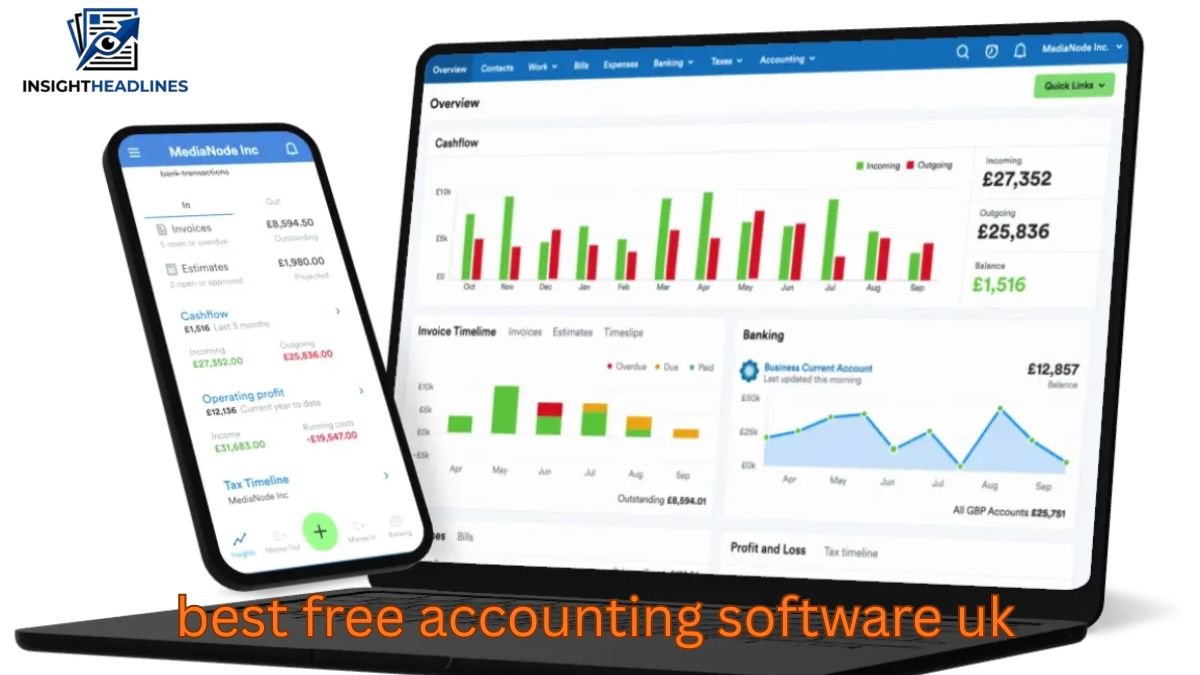
The good news is you don’t need to spend £25–£40 a month to get your finances under control. The best free accounting software UK options can genuinely help you track income, send invoices, monitor cash flow, and even prepare for tax season—without paying upfront.
But here’s the catch: “free” often comes with limits, and the wrong choice can create more problems than it solves. Some tools are perfect for freelancers but terrible for limited companies. Others work well until your invoices increase or you hire your first employee.
This guide breaks down the best free accounting software in the UK, who each one is best for, what features actually matter, and how to avoid common mistakes that cost businesses money.
What “Free Accounting Software” Really Means in the UK
Before choosing anything, it helps to understand what free accounting software usually includes (and what it often hides).
In the UK, free accounting software usually falls into three categories:
1. Fully free (limited features)
These tools are free forever, but often lack automation like bank feeds or VAT support.
2. Free plan with upgrade options
You get a basic package for free, but you’ll eventually hit a limit like:
- number of invoices per month
- number of customers
- limited reporting
- restricted access to bookkeeping tools
3. Free trial disguised as “free”
Some companies advertise “free accounting software” but it’s actually a 14–30 day trial.
Tip from real-world experience: if the tool asks for your card details before you can even create your first invoice, it’s usually not truly free.
What UK Small Businesses Actually Need (Not What Software Advertises)
Most people choose accounting software based on what looks modern, but the best tools are chosen based on your business situation.
Here’s what matters most in the UK:
Essential features to look for
- Unlimited invoicing (or at least a realistic limit)
- Expense tracking (manual upload or categorisation)
- Basic profit and loss report
- Customer database
- Invoice branding
- Bank reconciliation (even if manual)
- VAT support (if you’re registered)
Nice-to-have features
- Bank feeds (automatic transaction imports)
- Receipt scanning
- Multi-currency invoicing
- Inventory tracking
- Payroll integration
- Accountant access
Things many people ignore (but regret later)
- Export options (CSV, PDF, reports)
- Backup and data ownership
- Customer support availability
- Ability to upgrade smoothly later
Unique insight #1:
Many businesses don’t fail because they lack accounting software—they fail because they can’t see their cash flow clearly. The best free accounting software is the one that makes your bank balance and invoices match with minimal effort.
Best Free Accounting Software UK (Quick Comparison)
Here are the strongest free options currently used in the UK market, based on real use cases and what UK businesses actually need.
Best overall free accounting software UK: Zoho Books (Free Plan)
Zoho Books offers one of the most complete free plans available.
Best for: freelancers, sole traders, small service businesses
Strengths:
- professional invoicing
- customer management
- expense tracking
- strong reporting
- mobile-friendly
Limitations:
- the free plan may have restrictions depending on turnover or features
- some advanced automation is paid
Zoho is ideal if you want something that feels like a proper accounting system, not a basic invoice tool.
Best free accounting software UK for invoicing: Wave Accounting
Wave is well-known globally and is a favourite for simple invoicing.
Best for: freelancers and micro-businesses
Strengths:
- clean invoice design
- easy setup
- unlimited invoicing
- basic reporting
Limitations:
- UK-specific tax features may not be as strong
- bank feeds and add-ons may vary
- limited support compared to paid platforms
Wave is best if your main need is invoicing and simple tracking—not complex VAT accounting.
Best free accounting software UK for small businesses: GnuCash
GnuCash is powerful and completely free, but it’s old-school.
Best for: small business owners who are comfortable learning software
Strengths:
- full double-entry bookkeeping
- works offline (no subscription pressure)
- excellent for detailed financial tracking
Limitations:
- interface feels outdated
- learning curve is steep
- not ideal for fast invoicing workflows
If you want “real accounting software” without paying, GnuCash is one of the strongest free downloads.
Best free accounting software UK free download: Manager.io
Manager is another offline accounting tool with impressive features.
Best for: small businesses, limited companies (basic bookkeeping)
Strengths:
- free desktop version
- invoicing, expense tracking, reports
- simple layout compared to GnuCash
- great for organised bookkeeping
Limitations:
- cloud version is paid
- bank feeds not automatic unless you use paid options
This is one of the best choices if you specifically searched for best free accounting software UK free download.
Best free accounting software UK for charities: Akaunting (Self-Hosted)
Akaunting is free if you self-host it (meaning you install it on your own server).
Best for: charities or organisations with tech support
Strengths:
- donor tracking potential (via add-ons)
- multi-user support
- invoicing and accounting features
Limitations:
- requires setup and maintenance
- many useful features are paid add-ons
Unique insight #2:
Charities often choose software based on price, but the bigger cost is staff confusion. If volunteers can’t use the tool easily, bookkeeping becomes inconsistent. In charities, simplicity beats feature richness almost every time.
Best Free Accounting Software UK by Business Type
Best for Sole Traders & Freelancers
If you’re a sole trader, your main priorities are usually:
- invoicing
- tracking expenses
- knowing what to set aside for tax
- keeping things simple
Top picks:
- Zoho Books (free plan)
- Wave
- Manager.io (if you prefer offline)
Real-world scenario:
A freelance designer doing 10–20 invoices per month doesn’t need complex inventory or payroll. They need speed, clarity, and clean records for self-assessment.
Best for Small Business Owners
If you run a small business with regular expenses and multiple customers, you need:
- basic reports
- customer balances
- proper tracking of unpaid invoices
- easy expense recording
Top picks:
- Zoho Books
- Manager.io
- Akaunting (if you have support)
Best for UK Limited Companies
Limited companies have stricter needs, especially around:
- business vs personal spending separation
- proper reporting
- VAT (if applicable)
- clean bookkeeping for accountants
Top picks:
- Manager.io (desktop version)
- GnuCash (for proper bookkeeping)
- Zoho Books (if it supports your structure)
Important note:
Free software can work for limited companies, but only if you keep your bookkeeping clean from day one.
Unique insight #3 (rarely discussed):
Limited companies often waste money not on accounting software, but on “cleanup accounting” fees. Many accountants charge extra when records are messy. A free tool that keeps things organised can save you more than a paid subscription ever would.
Best for UK Charities
Charities often need:
- transparent records
- clear reporting
- multi-user access
- donation categorisation
Top picks:
- Akaunting (self-hosted)
- Zoho Books (if your charity structure fits)
- GnuCash (if you want strong reporting)
Charities should prioritise audit-ready reporting over flashy invoicing.
Key Features That Separate “Good Free” from “Painful Free”
A lot of free tools feel great until you actually use them for 3 months. These are the features that make or break the experience.
1. Bank reconciliation (even if manual)
If you can’t easily match transactions to invoices, you’ll lose hours monthly.
2. Invoice tracking and overdue reminders
Free tools that don’t show unpaid invoices clearly become a cash-flow problem.
3. Export options
If you ever switch software, you want to export:
- invoices
- customer lists
- reports
- transaction history
4. VAT support (if you need it)
If you’re VAT registered, you should avoid tools that aren’t built for VAT tracking.
Common Mistakes People Make Choosing Free Accounting Software
Mistake 1: Picking software based only on popularity
What works for a YouTuber in the US may not fit UK tax and business workflows.
Mistake 2: Ignoring your growth path
If your business grows from 10 invoices a month to 80, the “free plan” may become unusable overnight.
Mistake 3: Mixing business and personal transactions
Even the best accounting software can’t fix messy bank habits.
Practical tip:
Open a separate business bank account early. It makes free software work 10x better.
Mistake 4: Not tracking cash flow weekly
Accounting is not just “tax stuff.” It’s how you avoid running out of money.
Practical Setup Tips (So You Actually Stick With It)
Here’s a simple workflow that works for most UK businesses:
Weekly routine (15–30 minutes)
- record expenses
- upload receipts
- check unpaid invoices
- categorise transactions
Monthly routine (30–60 minutes)
- reconcile bank activity
- review profit/loss
- set aside tax money
- export a backup file
Tax-saving habit
Every time you get paid, move a percentage into a separate savings account for tax.
Even 15–25% makes a big difference.
How to Choose the Best Free Accounting Software UK (Fast Checklist)
Ask yourself these questions:
If you invoice customers regularly
Choose a tool with:
- unlimited invoicing
- payment tracking
- overdue invoice reminders
If you have lots of expenses
Choose one with:
- receipt upload
- expense categories
- simple reconciliation
If you are a limited company
Choose one with:
- double-entry accounting
- proper reports
- accountant-friendly exports
If you’re not tech-savvy
Choose one with:
- easy interface
- good help documentation
- quick setup
When Free Accounting Software Stops Being Enough
Free accounting software is a great starting point, but you may need to upgrade when:
- you hire employees (payroll needed)
- you become VAT registered
- you need multi-user access
- you want automated bank feeds
- your accountant needs direct access
- you manage stock/inventory
A smart move is choosing a platform that has a clear upgrade path, so you don’t have to restart everything later.
FAQ: Best Free Accounting Software UK
What is the best free accounting software UK for small businesses?
For most UK small businesses, Zoho Books (free plan) is one of the best options because it offers invoicing, reporting, and expense tracking in a clean interface. If you want an offline tool, Manager.io is also a strong option. The best choice depends on whether you prefer cloud access or downloadable software. Always check if the free plan covers your monthly invoice volume.
What is the best free accounting software UK free download?
If you want a free download (not cloud-based), Manager.io and GnuCash are two of the strongest choices. Manager is easier to use for beginners, while GnuCash is more detailed and better for strict bookkeeping. Both allow you to work offline and avoid monthly subscription costs. They’re ideal for businesses that want full control over their data.
What is the best free accounting software UK for charities?
For UK charities, Akaunting (self-hosted) can work well if you have technical help available. GnuCash is also a good choice for charities needing strong reporting and transparency. Many charities benefit from tools that focus on clean reporting rather than fancy invoicing. The best option is usually the one volunteers can actually use consistently.
What is the best free accounting software UK for a limited company?
Manager.io and GnuCash are often better suited for limited companies because they support proper bookkeeping and detailed reports. Limited companies need cleaner records, especially if an accountant will file accounts later. Free software can work, but only if transactions are organised from the start. If your records become messy, the accountant cleanup cost will outweigh any savings.
Can I use free accounting software for VAT in the UK?
Some free tools can handle VAT, but many free plans limit VAT features or reporting. If you are VAT registered, you should check if the software supports VAT tracking properly and produces clear VAT summaries. In many cases, businesses upgrade once VAT becomes necessary. VAT is one area where “almost correct” accounting can cause expensive mistakes.
Is free accounting software safe to use in the UK?
Yes, but safety depends on the provider and whether you back up your data. Cloud-based tools are convenient, but you should check export options so you’re not locked in. Offline tools are safer for privacy, but you must manage backups yourself. A good habit is exporting your reports monthly so you always have a copy.
Conclusion: Which Free Accounting Software Should You Choose?
If you want the simplest answer: the best free accounting software UK option is usually the one that matches your business type and keeps your records clean with the least effort.
- If you’re a freelancer or sole trader who wants modern invoicing and reports, Zoho Books is a strong starting point.
- If you want something straightforward for invoices, Wave is a good choice.
- If you want a free downloadable accounting tool, Manager.io is one of the most practical options.
- If you want deep bookkeeping control and don’t mind a learning curve, GnuCash is powerful.
- If you’re running a charity with technical support, Akaunting can work well.
The smartest approach is to start with free software now, but build your workflow like you’ll grow. Keep your bookkeeping clean, separate your business spending, and track cash flow weekly. That’s what makes accounting software actually useful—not just “installed.”