
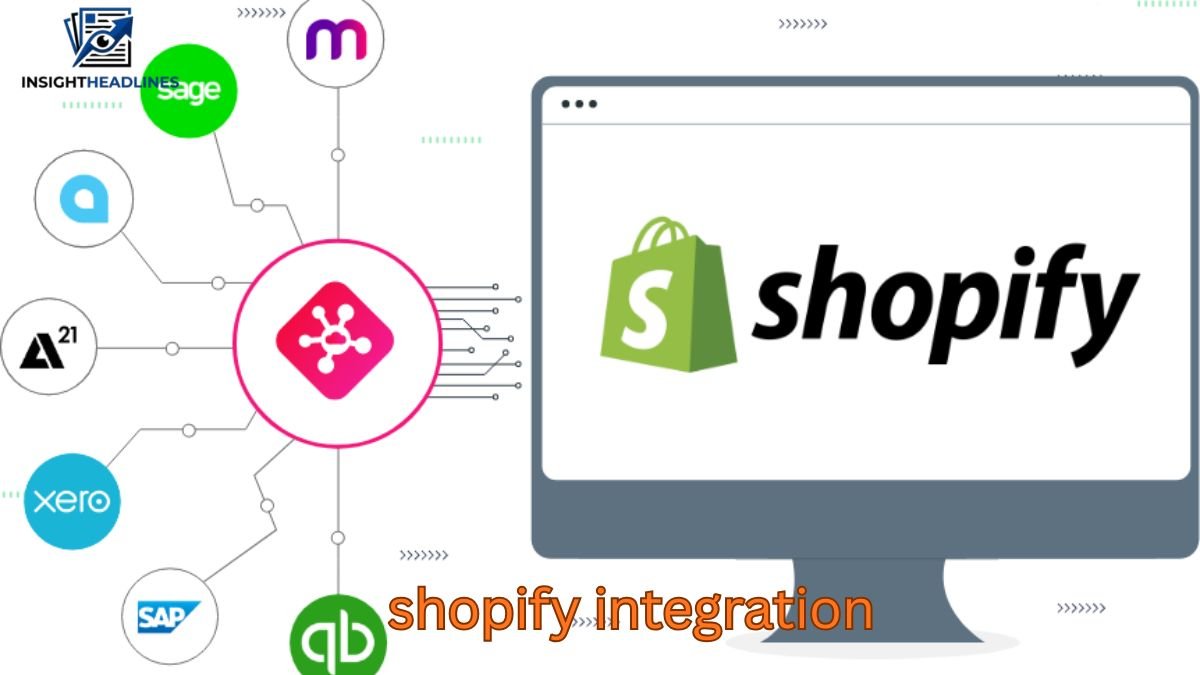
If you’ve ever launched a Shopify store and thought, “Great… now how do I connect everything else?” you’re not alone. Shopify is powerful, but it doesn’t run a business by itself. The real work starts when you need your store to sync with accounting software, inventory systems, tax tools, shipping platforms, POS systems, and payment providers—without messing up your numbers or creating double work.
That’s where Shopify integration becomes the difference between a smooth, scalable operation and daily chaos.
I’ve seen store owners do everything “correctly” and still end up with broken inventory counts, tax miscalculations, duplicated invoices, and financial reports that don’t match reality. And most of the time, it happens because they connected apps without understanding how data flows.
In this guide, you’ll learn what Shopify integration really means, how it works, what to connect first, and how to avoid common mistakes—especially when integrating tools like Avalara, Xero, Lightspeed, Unleashed, and Afterpay.
What Shopify Integration Actually Means (In Real Life)
A Shopify integration is simply a system that allows Shopify to automatically share data with another platform.
But the real value is this:
Shopify integration reduces human errors and repetitive work
Instead of manually copying orders into accounting software, updating stock levels, or calculating taxes, the integration handles it automatically.
A typical Shopify store may integrate with:
- Accounting software (Xero, QuickBooks)
- Tax automation tools (Avalara)
- Inventory and warehouse systems (Unleashed, Cin7, TradeGecko)
- POS systems (Lightspeed)
- Payment providers (Afterpay, Klarna)
- Shipping and fulfillment tools (ShipStation, Easyship)
The best integrations don’t just “connect”—they create a clean workflow.
How Shopify Integrations Work Behind the Scenes
Most Shopify integrations rely on one of these methods:
1. Native app integrations
Apps in the Shopify App Store that connect directly and sync data.
Best for: Small and mid-sized stores
Risk: Some apps are “lightweight” and don’t sync properly under complex scenarios
2. Middleware integration platforms
Tools like Zapier, Make, or custom automation systems.
Best for: Custom workflows
Risk: Breaks easily if not maintained
3. Custom API integrations
A developer builds a custom integration using Shopify APIs.
Best for: High-volume stores with unique needs
Risk: Expensive upfront but best long-term control
Real-world truth: Most businesses start with apps, then eventually outgrow them and move to custom or middleware solutions.
Shopify Integration Software: What You Should Connect First
Many store owners make the mistake of integrating everything at once.
A better approach is to prioritize based on what breaks your business fastest.
Recommended order of integration setup
Step 1: Payments & checkout (Afterpay, PayPal, Stripe)
Because this impacts conversions and customer experience.
Step 2: Tax automation (Avalara, TaxJar)
Because tax mistakes become expensive fast.
Step 3: Accounting software (Xero integration)
Because bookkeeping is hard to fix after months of messy transactions.
Step 4: Inventory & fulfillment (Unleashed, warehouse tools)
Because inventory errors cause overselling and refunds.
Step 5: POS integration (Lightspeed Shopify integration)
If you have physical retail operations.
Avalara Shopify Integration: The Best Option for Tax Automation?
If you sell across states (US), provinces (Canada), or multiple countries, tax becomes a nightmare quickly.
That’s where Avalara Shopify integration is used.
What Avalara does for Shopify sellers
Avalara automatically calculates taxes based on:
- Customer location
- Product category (some items are taxed differently)
- Local tax rules
- Shipping tax rules
- Nexus thresholds
What it solves (real problems)
Without Avalara, many Shopify stores run into:
- Wrong sales tax rates applied
- Tax not charged where it should be
- Overcharging customers (leading to complaints)
- Undercharging tax (leading to penalties)
Practical example
A Shopify seller ships skincare products across 12 US states. Some states tax cosmetics differently than soap or medical skincare. Shopify’s default tax settings may not classify these properly.
Avalara can apply the correct rule based on product type—if configured correctly.
Common mistakes with Avalara Shopify integration
- Not mapping product tax codes properly
- Forgetting to set nexus regions
- Not testing checkout tax calculation
- Assuming Avalara “fixes everything automatically”
Real advice: Avalara is powerful, but it only works well if your product catalog is clean and categorized correctly.
Xero Shopify Integration: Clean Accounting or Messy Reports?
A strong Xero Shopify integration is one of the best upgrades for store owners who want clear bookkeeping.
But it can also create confusion if set up incorrectly.
What Xero integration typically syncs
Depending on the app or connector, it can sync:
- Orders and invoices
- Payments received
- Refunds
- Fees (Shopify Payments, PayPal fees, Afterpay fees)
- Taxes collected
- Shipping revenue
What a good integration should do
A good connector should post transactions in a way that matches your bank deposits.
Because here’s the truth:
Your Shopify “sales” will never match your bank deposits.
Your deposit is affected by:
- Payment processor fees
- Refunds
- Chargebacks
- Currency conversion
- Afterpay settlement delays
If your integration doesn’t account for this properly, your Xero books will be inaccurate.
Best practice setup (real-world approach)
Instead of sending every single order as an invoice, many businesses use a daily summary method:
- Total sales per day
- Total tax collected
- Total refunds
- Total fees
- Net payout
This creates cleaner bookkeeping and makes reconciliation easier.
Common Xero Shopify integration issues
- Duplicate invoices being created
- Refunds not syncing correctly
- Shopify fees missing (causing profit reports to look inflated)
- Multi-currency problems (especially for UK/EU sellers)
Unique insight (not talked about enough):
If you use Afterpay, Klarna, or PayPal, your payout timing differs from Shopify Payments. A “perfect” Xero integration must handle payout timing differences—or your reconciliation will always look wrong.
Lightspeed Shopify Integration: Useful or Overcomplicated?
If you run a retail store plus an online Shopify store, you might look into Lightspeed Shopify integration.
Lightspeed is mainly used for:
- In-store POS sales
- Retail inventory management
- Customer records
- Staff and store operations
When Lightspeed + Shopify makes sense
It’s a good setup if:
- You sell from physical stores and online
- You want unified inventory
- You want real-time stock updates across channels
The biggest risk: inventory mismatches
If Shopify and Lightspeed both think they’re the “master inventory system,” you’ll run into:
- overselling online
- missing stock in-store
- incorrect inventory valuation
Best practice: choose one inventory “source of truth”
A practical strategy is:
- Lightspeed controls retail stock
- Shopify pulls stock updates from Lightspeed
(or the opposite, depending on your business)
But you must decide who is in charge, otherwise the systems will fight each other.
Unique insight:
Inventory syncing problems usually don’t show up on day 1. They appear after your first big sale event (Eid sale, Black Friday, Christmas) when hundreds of orders hit the system quickly. Test during peak load scenarios—not just during setup.
Unleashed Shopify Integration: The Best Option for Inventory Control?
If you sell products with complex inventory (bundles, raw materials, multi-warehouse stock), Shopify alone isn’t enough.
That’s why many businesses use Unleashed Shopify integration.
What Unleashed is best at
Unleashed handles:
- Multi-warehouse inventory
- Purchase orders and supplier tracking
- Inventory forecasting
- Stock valuation and cost tracking
- Batch and serial tracking (in some setups)
- Assembly and kitting workflows
Real example where Unleashed is a game-changer
Let’s say you sell gift boxes:
- 1 gift box contains 1 mug + 1 candle + 1 card
- You sell items individually and as bundles
- Shopify struggles with tracking true stock levels
Unleashed can track components properly and prevent overselling.
Biggest setup mistake
Many sellers integrate Unleashed too late—after Shopify already has messy SKU data.
To make Unleashed work smoothly, you need:
- clean SKUs
- consistent naming
- correct barcode formats
- correct product variants mapping
If your Shopify catalog is messy, Unleashed will sync the mess.
Afterpay Shopify Integration: What It Improves (and What It Complicates)
The Afterpay Shopify integration is popular because it increases conversion rates by letting customers pay in installments.
Benefits of Afterpay for Shopify stores
- Higher average order value
- Better conversion rate on expensive items
- Lower cart abandonment for price-sensitive buyers
But here’s what most store owners don’t realize:
Afterpay complicates accounting and reconciliation.
Because Afterpay:
- takes fees
- settles payouts on a different schedule
- can create mismatches between Shopify revenue and bank deposits
Practical setup advice
Before enabling Afterpay, confirm:
- Your accounting integration captures Afterpay fees correctly
- Your refund process is synced properly
- Your customer support team understands installment disputes
Unique insight:
Many stores offer Afterpay but forget to adjust return/refund policies. Refund disputes become more frequent because customers assume “partial payment means partial refund.” Make sure your policy is clear and visible.
Shopify Integration Tax Software: What to Look for Before Choosing
Tax software integration is not just about calculating tax—it’s about staying compliant.
A good Shopify tax integration should handle:
- Real-time tax calculations at checkout
- Product tax category mapping
- Exemption certificates (B2B)
- Tax reporting by region
- Support for VAT/GST if international
- Nexus threshold alerts (especially in the US)
Signs you need tax software like Avalara
You should seriously consider it if:
- You sell in multiple US states
- You ship internationally
- Your product type has special tax rules
- You’re scaling fast and don’t want tax surprises
Shopify Integration Software: Key Features That Matter
There are thousands of Shopify apps, but only a few truly integrate well.
What a reliable Shopify integration tool should offer
Look for these features:
- Two-way sync (not just one-way exports)
- Error logs (you must see failed sync attempts)
- Mapping controls (SKU, tax codes, accounts)
- Refund handling
- Multi-currency support
- Order status syncing
- Duplicate protection
- Payout reconciliation support
The #1 sign of a weak integration
If it only says: “Sync orders automatically”
…but doesn’t explain how it handles refunds, fees, taxes, or inventory adjustments.
That’s a red flag.
Common Shopify Integration Mistakes (That Cost Money)
1. Connecting apps without a data flow plan
Many businesses connect Shopify to 5 different tools without deciding:
- where inventory should be managed
- where customer data should live
- which system controls pricing
2. SKU mismatch across platforms
One wrong SKU breaks:
- inventory sync
- purchase orders
- accounting records
- warehouse picking
3. Ignoring refunds and chargebacks
Refunds are where most integrations fail.
A “successful” integration that can’t sync refunds properly is basically useless.
4. Not testing before launch
You should test:
- normal purchase
- discounted purchase
- bundled purchase
- refund
- partial refund
- international order
- Afterpay order
- tax-exempt order (if relevant)
5. Assuming Shopify reports = accounting truth
Shopify reports are helpful, but they are not your official financial truth.
Accounting software should reflect:
- payouts received
- fees deducted
- refunds issued
- taxes collected correctly
Real-World Shopify Integration Use Cases (Practical Scenarios)
Scenario 1: Small Shopify store scaling fast
Tools used: Shopify + Xero + Avalara + Afterpay
Goal: Automated accounting + compliant taxes + higher conversion
What works best:
Daily sales summary into Xero + Avalara tax calculation + Afterpay checkout option
Scenario 2: Retail store + online store
Tools used: Shopify + Lightspeed POS
Goal: Unified inventory across store and online
What works best:
Lightspeed as master inventory system, Shopify as selling channel
Scenario 3: Warehouse-driven eCommerce brand
Tools used: Shopify + Unleashed
Goal: Multi-warehouse stock accuracy + purchasing control
What works best:
Unleashed controlling stock + Shopify receiving inventory updates and pushing orders
How to Choose the Right Shopify Integration (Simple Checklist)
Before choosing any integration software, ask these questions:
Does it match your business model?
Selling digital products needs different tools than selling physical inventory.
Does it support your country and tax rules?
UK VAT, EU VAT, US sales tax, Australia GST—these are not interchangeable.
Will it handle your volume?
An integration that works for 10 orders/day may break at 300 orders/day.
Can you trace errors easily?
If there’s no audit trail, you’ll waste hours troubleshooting.
Does it sync fees and payouts?
If it doesn’t, your profit reports will always be inaccurate.
2–3 Unique Insights Most Shopify Integration Guides Don’t Mention
1. Your integration should match your refund policy—not just your sales process
Most businesses only test sales syncing, but real chaos happens with refunds, partial refunds, exchanges, and chargebacks. If your integration doesn’t handle these perfectly, you’ll constantly patch errors manually.
2. Choose a “source of truth” for each business function
Don’t let multiple apps control the same thing. Decide clearly:
- Inventory master = Unleashed or Lightspeed
- Accounting master = Xero
- Sales channel = Shopify
- Tax engine = Avalara
If two systems compete, you’ll get mismatched data forever.
3. Integration success depends on SKU discipline more than software quality
Even the best integration fails when your SKUs are inconsistent. Fix your SKU structure before installing advanced tools—it saves months of cleanup later.
FAQ: Shopify Integration (Real Questions People Ask)
1. What is the best Shopify integration software for accounting?
For many small to mid-sized businesses, Xero Shopify integration tools work well because they can automate invoices, sales summaries, and reconciliation. The best setup depends on whether you want order-level invoices or daily summaries. If you use multiple payment gateways like PayPal and Afterpay, choose a connector that supports payout reconciliation. Clean accounting comes from correct mapping, not just syncing.
2. Is Avalara Shopify integration worth it for small businesses?
If you only sell locally or within one state/country, Avalara may be unnecessary. But if you sell across multiple states or international markets, it can prevent expensive compliance mistakes. The biggest benefit is real-time tax calculation and accurate reporting. It becomes more valuable as your store grows and tax rules get more complex.
3. Can Shopify integrate with Lightspeed POS?
Yes, Lightspeed Shopify integration is possible and useful for businesses selling both online and in physical stores. The main benefit is unified inventory and customer management. However, you must decide which system controls stock to avoid mismatched inventory levels. It works best when you set clear syncing rules before launch.
4. How does Unleashed Shopify integration help with inventory?
Unleashed Shopify integration is ideal for brands managing warehouses, purchase orders, and complex stock. It helps track inventory across multiple locations, manage reordering, and prevent overselling. It’s especially useful for bundles, kits, and multi-variant products. For scaling eCommerce brands, it often provides the control Shopify lacks.
5. Does Afterpay Shopify integration affect accounting?
Yes, because Afterpay payouts usually arrive on a different schedule and include fees that Shopify reports may not clearly separate. This creates differences between Shopify revenue and bank deposits. To avoid confusion, your accounting system should track Afterpay fees and settlement timing properly. If set up correctly, it boosts sales without creating bookkeeping headaches.
6. What’s the biggest risk when setting up Shopify integrations?
The biggest risk is connecting multiple apps without a clear data flow plan. This often leads to duplicated invoices, incorrect inventory syncing, and unreliable financial reporting. Another major risk is poor SKU structure, which breaks inventory and accounting integrations quickly. A smart setup starts with clean product data and controlled syncing rules.
Conclusion: Shopify Integration Done Right Saves Time and Protects Growth
A strong Shopify integration setup isn’t just about convenience—it’s about building a store that can scale without breaking. When your accounting, inventory, tax software, POS system, and payment tools are properly connected, you stop wasting hours on manual work and start making decisions based on accurate numbers.
The key is not installing more apps. The key is building a clean system where each platform has a clear job.
If you’re integrating Avalara for tax, Xero for accounting, Lightspeed for POS, Unleashed for inventory, or Afterpay for checkout, take the time to plan your workflow first. A few extra hours of setup can save you months of cleanup later.
If your goal is growth, automation, and fewer mistakes—Shopify integration is one of the smartest upgrades you can make.